

This application is a “vocabulary builder” that helps you improve and practice your English vocabulary. It has been created specifically to help you build your vocabulary for well-known tests and exams such as SAT, TOEFL, GRE or GMAT, but it is also suitable for practicing and improving your general vocabulary.
The fact that I like the most about Vocaboly is that it provides multiple learning methods which are both effective and interesting. Some of them are more than interesting, they are in fact entertaining games. They will make the memorization process both easier and faster.
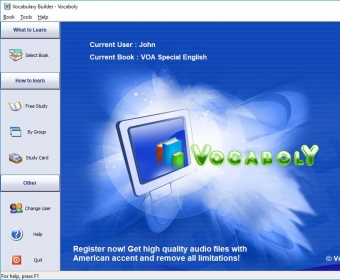
The interface of Vocaboly is another nice aspect. Vocaboly offers quick access to its five books: VOA Special English, TOEFL, GMAT, SAT and GRE. Regardless of what book is used at that time, you will be able to see the meaning, phonetic symbol and pronunciation for each of the 12 000 words. The acknowledged learning method based on flash cards is also available with Vocaboly - every book contains 8 flash cards that you can easily customize. Furthermore, Vocaboly offers support for multiple users, being able to separately save the study history and progress for every user.
In an endnote, I like Vocaboly, as it combines efficiency with simplicity. Most vocabulary building applications are overwhelmingly intricate and complex, but Vocaboly manages to stay lightweight, intuitive and even be entertaining. It could be a bit cheaper though, as its price places this application in the category of expensive ones.





Comments